Add songs from this computer and play them on the Local Files playlist.
Audio stays on this computer. The extension does not upload it.
Microsoft Add-ons store updates can take up to a week because Microsoft reviews each one. The GitHub version is always the newest. See install options.
Free and open source (MIT). No account of ours, no analytics. Not affiliated with Amazon. The store listing is prepared and is under review.
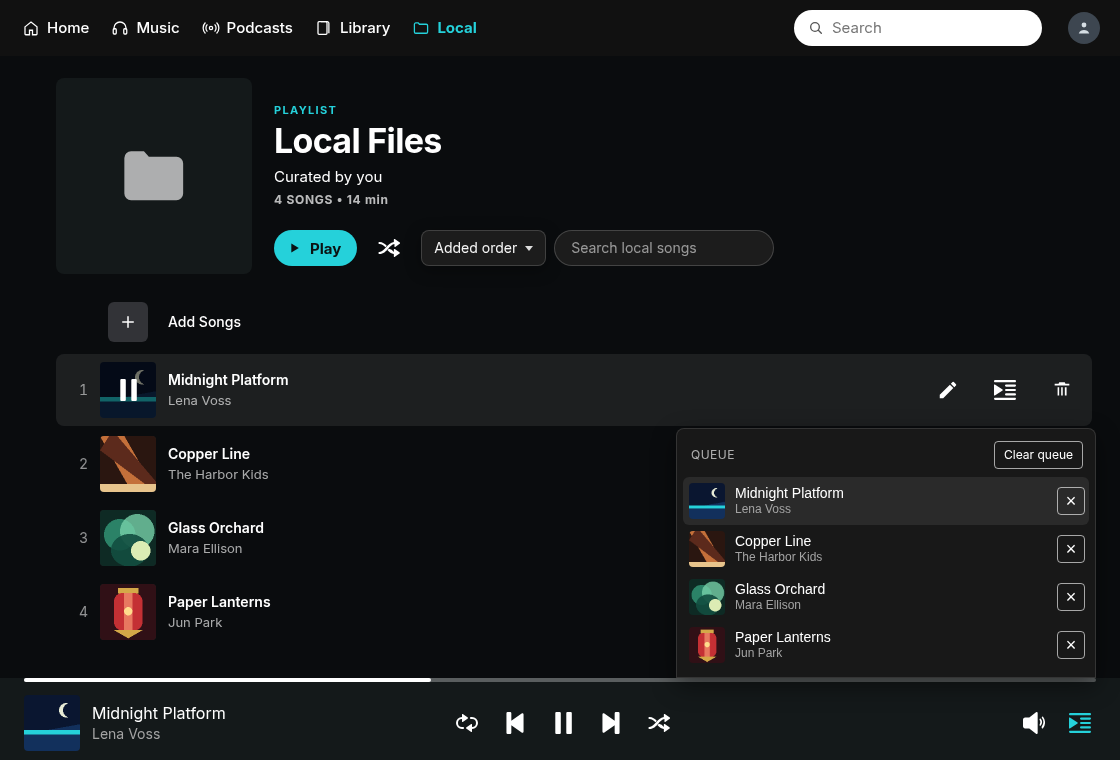
On the Local Files playlist in Amazon Music. Playback uses the files you pick.
On the Local Files page, Add songs opens a file picker. You can also drag audio files onto the Amazon Music page. mp3, m4a, mp4, flac, wav, ogg, aac, opus, and webm are accepted.
Play and pause, seek, next and previous, shuffle, repeat, a queue, and volume. The audio element plays the file locally. Nothing is uploaded.
It uses Amazon Music's own play bar. Local songs play there, and normal Amazon Music playback is left alone.
Tags and cover art are read from the file in the browser. If a file has no tags, a name like Artist - Title is used. You can rename a song in the list.
Sort by title A to Z, title Z to A, or added order. Search the local song names on the playlist page.
It creates a playlist inside Amazon Music and uses that playlist, so local files sit in your library like everything else. The page is shown as Local Files. The playlist is private and starts empty. Catalog tracks that land on it are removed. Your audio is not uploaded.
The store package and listing text are prepared. The Edge listing is under review, so there is no store page yet. When it is published later, Edge can install it in one click. Store copies do not contact GitHub.
edge://extensions (in Chrome: chrome://extensions).manifest.json.English Amazon Music sites only: music.amazon.com, .ca, .co.uk, .com.au, .in, and .ae. Local Files is that playlist in your library.
Picked files are remembered as file handles in this browser so you do not have to choose them again after a reload. The audio itself is not copied into the extension.
Microsoft Add-ons store updates can take up to a week because Microsoft reviews each one. The GitHub version is always the newest. See what's included.
Not affiliated with Amazon. This is an independent, unofficial extension. It is not made, endorsed or supported by Amazon. Amazon Music is a trademark of Amazon.com, Inc. or its affiliates.
There is no sign-in to the developer, no analytics, and no server of ours. Removing the extension removes it.
The extension reads files you pick and plays them in the browser. It does not upload audio to the developer and does not store audio bytes on a server. Extension storage keeps names, not the files.
Finding or creating the empty playlist that Local Files uses happens with the Amazon Music sign-in already open in that tab. Those requests do not include your audio. The playlist is private.
Separate extensions for Amazon Music. Find in Playlist hides its search button while the Local Files playlist is open.
On expanded Song History, make a new playlist from the songs at the top of the list.
On an Amazon Music playlist page, a floating button finds the next song by title or artist, including songs that are not loaded yet.
Translates the lyrics in the Amazon Music web player and adds romanization for non-Latin scripts. When Amazon has no lyrics for a song, it can show synced lyrics from LRCLIB.
 Local Files