Turn the top of Song History into a new playlist.
Make playlists from the songs in your history.
Microsoft Add-ons store updates can take up to a week because Microsoft reviews each one. The GitHub version is always the newest. See install options.
Free and open source (MIT). No account of ours, no analytics. Not affiliated with Amazon.
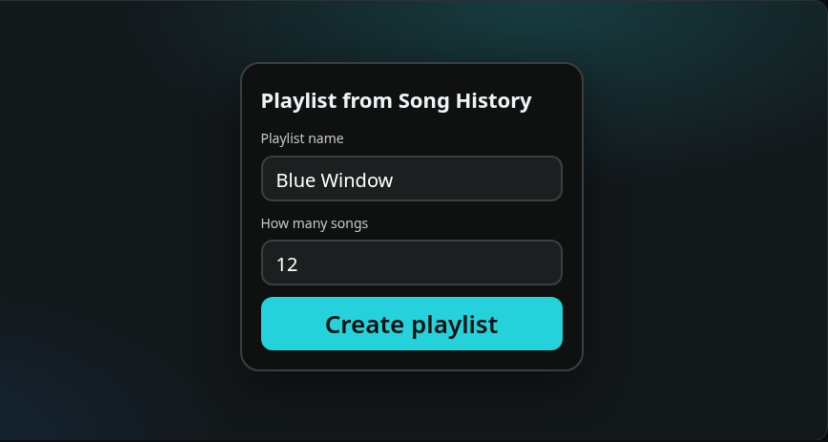
Only on the expanded Song History page. It does not change playback.
The button is on expanded Song History. It opens a panel for the playlist name and the song count. Leave the count empty to use 25.
The name is the title of the new playlist. The count is how many songs to take from the top of Song History.
The same song is only counted once, even if it shows up again while the list loads.
Song History only shows part of the list at first. The extension scrolls so later songs can be included.
It creates a new public playlist and adds the songs. It does not edit a playlist you already have.
Clicking the toolbar icon opens Song History in the current tab when that tab is already Amazon Music. Otherwise it opens a new tab. The in-page button stays.
Install it from Microsoft Edge Add-ons. Edge updates that copy for you. Store copies do not contact GitHub.
edge://extensions (in Chrome: chrome://extensions).manifest.json.The Make playlist button appears only on expanded Song History on the English Amazon Music sites: music.amazon.com, .ca, .co.uk, .com.au, .in, and .ae. Other pages do not show the button.
The toolbar icon always opens music.amazon.com/recently/played/songs. If the current tab is already one of those Amazon Music sites, it uses that tab. Otherwise it opens a new tab.
Microsoft Add-ons store updates can take up to a week because Microsoft reviews each one. The GitHub version is always the newest. See what's included.
Not affiliated with Amazon. This is an independent, unofficial extension. It is not made, endorsed or supported by Amazon. Amazon Music is a trademark of Amazon.com, Inc. or its affiliates.
There is no sign-in to the developer, no analytics, and no server of ours. Removing the extension removes it.
The playlist name and the song ids already on the Song History page are sent to Amazon Music, using the sign-in already in that tab, to create the playlist and add the songs. Nothing is sent to the developer.
It does not read your Amazon password, sell data, or change Find in Playlist or Lyrics Translate. It does not play, pause, or skip.
These work together on Amazon Music with seamless compatibility: the translator button, the find button, and the Song History button stack, and opening lyrics does not fight search.
On an Amazon Music playlist page, a floating button finds the next song by title or artist, including songs that are not loaded yet. It scrolls that row into view and does not play it. Search stays hidden on the queue and on lyrics.
Translates the lyrics in the Amazon Music web player and adds romanization for non-Latin scripts. When Amazon has no lyrics for a song, it can show synced lyrics from LRCLIB. The translator button sits above the others.
Add songs from this computer and play them on the Local Files playlist. Audio stays on this computer. The extension does not upload it.
 History Playlist